Why Your Blog’s Related Posts Section Fails Readers
You know that related posts section at the bottom of your blog articles? The one that’s supposed to keep readers clicking around your site? Here’s the uncomfortable truth: it’s probably doing more harm than good.
Most business owners throw in a generic “You might also like” widget and call it strategic content linking. But if you’re like most small business owners I work with, your related posts are confusing visitors instead of guiding them deeper into your expertise.
After helping hundreds of business owners optimize their content strategy, I’ve seen the same pattern repeatedly. The difference between sites that keep readers engaged and those that send them running isn’t the quality of individual posts-it’s how well those posts connect to each other.
The Real Problem with Most Related Posts
Let’s start with what’s actually broken. Most related posts sections operate on autopilot, using algorithms that match keywords without understanding context or reader intent.
Picture this: someone reads your article about “5 Marketing Mistakes Small Businesses Make.” The algorithm suggests three random posts about social media tips, email marketing, and your company’s holiday party. None of these help the reader who’s clearly struggling with basic marketing fundamentals.
This scattered approach creates what I call “content whiplash.” Instead of building on the reader’s current mindset, you’re asking them to jump between unrelated topics. It’s like offering someone directions to three different cities when they just asked how to get downtown.
The result? Most visitors read one post and leave. Your bounce rate stays high, your engagement drops, and all that content you worked so hard to create sits there gathering digital dust.
Understanding Reader Intent Behind Related Posts
Before we fix the problem, we need to understand what readers actually want when they finish one of your articles. They’re not looking for random content-they’re looking for logical next steps.
Think about your own browsing habits. When you finish reading something helpful, you want to go deeper into that topic or find related information that builds on what you just learned. You don’t want to start over with something completely different.
Smart content connections anticipate this need. They create a natural flow that matches how people actually think and learn. This is especially important for business blog topics that drive results-your connections should guide readers toward becoming customers, not just casual browsers.
Consider your expertise as a series of connected conversations rather than isolated articles. Each piece should naturally lead to the next, creating what I call an “expertise journey.”
The Three Types of Content Connections
There are three ways readers want to move through your content, and your related posts should serve all three:
Going Deeper: More detailed information on the same topic. If they read “Marketing Basics,” they might want “Advanced Marketing Strategies.”
Going Broader: Related topics that complement what they just learned. After “Email Marketing,” they might want “Content Marketing” or “Social Media Strategy.”
Taking Action: Practical next steps or tools that help them implement what they learned. This is where you can strategically guide readers toward your services or products.
Strategic Content Linking That Actually Works
Now let’s talk about building connections that serve your readers and your business goals. This isn’t about gaming the system-it’s about creating genuinely helpful pathways through your content.
Start by mapping your content themes. Most small businesses have 5-7 core topics they write about. Group your existing posts under these themes, then look for natural progression paths within each group.
For example, if you’re a financial advisor, you might have themes like “Retirement Planning,” “Investment Basics,” and “Tax Strategies.” Within “Investment Basics,” you could create a logical sequence from “What Are Mutual Funds?” to “How to Choose Your First Investment” to “Building a Diversified Portfolio.”
This approach aligns perfectly with creating more while writing less-when your content builds on itself, each new post becomes easier to write and more valuable to readers.
The Manual Override Method
Here’s a practical approach that works for busy business owners: manually curate your related posts instead of relying on automation. Yes, it takes more time upfront, but the payoff in reader engagement is worth it.
For each post, choose 3-4 related articles that create a logical learning path. Ask yourself:
• What would a reader naturally want to know next?
• Which posts build on the concepts I just explained?
• What objections or questions might they have now?
• How can I guide them toward becoming a customer?
This manual approach lets you control the reader experience instead of leaving it to chance. You become the guide who helps visitors navigate your expertise, rather than just hoping they stumble onto something useful.
Creating Content Clusters That Build Authority
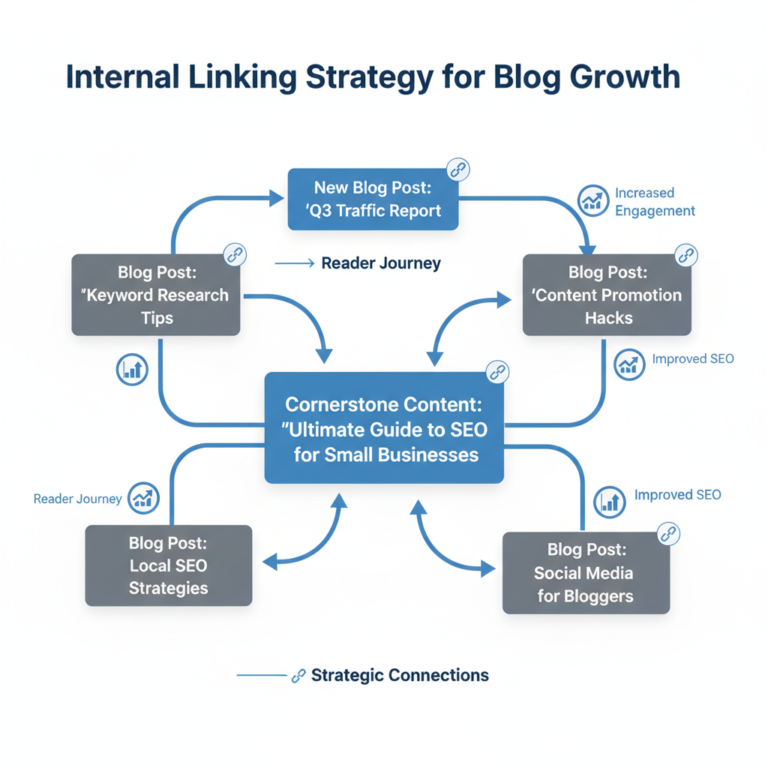
Think of your blog as a library, not a newspaper. Instead of random articles scattered everywhere, organize your content into clusters that demonstrate deep expertise in specific areas.
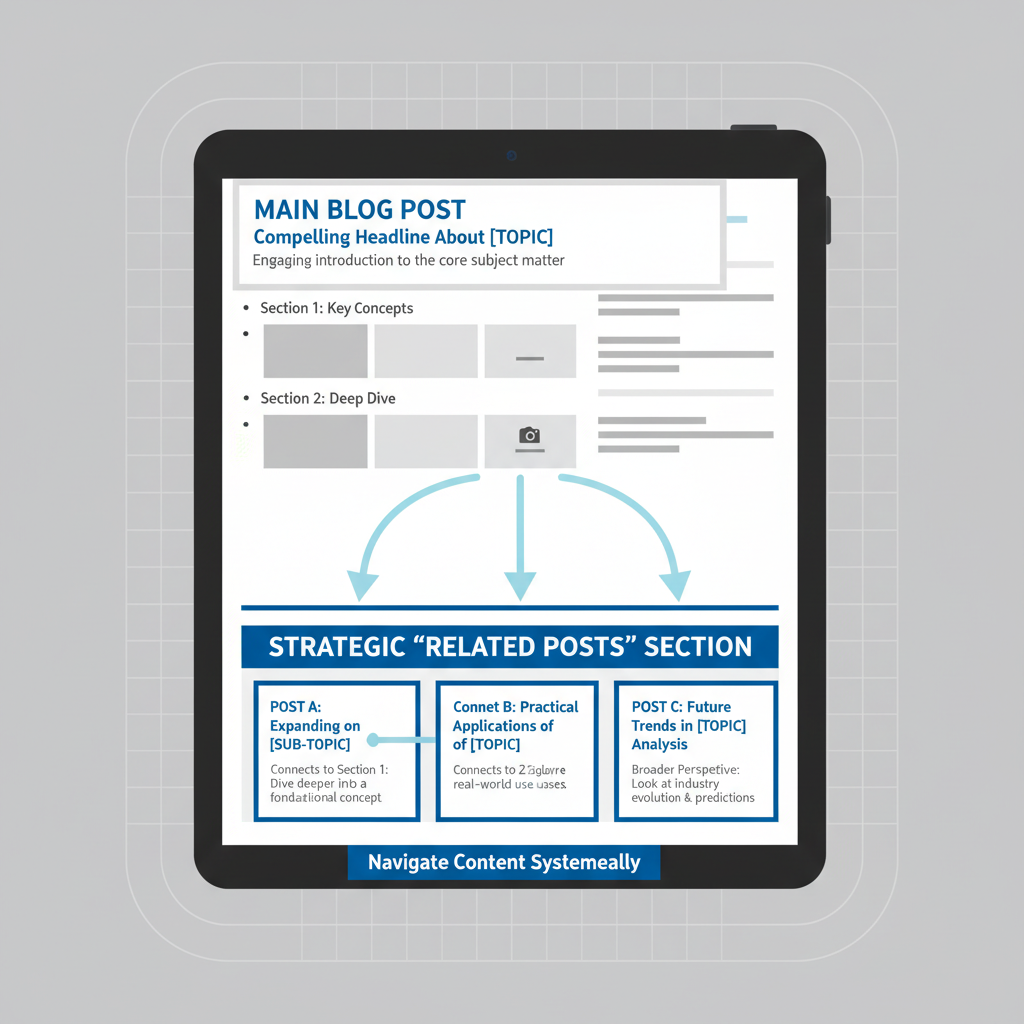
A content cluster is a group of related posts that comprehensively cover one topic. You have a main “pillar” post that covers the topic broadly, supported by several “cluster” posts that dive deep into specific aspects.
For instance, if you’re a business consultant, you might have a pillar post called “Small Business Growth Strategies” supported by cluster posts about hiring, marketing, operations, and financial planning. Each cluster post links back to the pillar and to other relevant clusters.
This approach serves multiple purposes. Search engines love it because it shows topical authority. Readers love it because they can explore your expertise systematically. And you’ll love it because it makes content planning much easier.
The Customer Journey Integration
Smart related posts don’t just showcase your expertise-they guide readers through your customer journey. This means thinking strategically about which posts to connect and in what order.
Early-stage readers who are just becoming aware of their problem need educational content that builds trust. Mid-stage readers who are evaluating solutions need comparison and strategy content. Late-stage readers who are ready to buy need proof and process content.
Your related posts should create natural progressions through these stages. Someone reading “Why Your Marketing Isn’t Working” (awareness stage) might be directed to “5 Marketing Strategies That Actually Work” (consideration stage) and then to “How We Help Small Businesses Grow” (decision stage).
Technical Implementation That Doesn’t Overwhelm
You don’t need fancy plugins or complex systems to implement strategic related posts. Most business owners can handle this with basic WordPress functionality and a little planning.
Start simple: add a “Related Posts” section at the end of each article with 3-4 manually selected links. Write brief descriptions for each link that tell readers what they’ll get and why it’s relevant to what they just read.
Instead of generic link text like “You might also like,” use specific language: “Ready to put these ideas into action? Here’s how to create a content calendar that actually works.” This approach connects to the reality that many business owners struggle with writing efficient blog posts while running their business.
As your content library grows, you can add more sophisticated features like content series, topic pages, or guided learning paths. But don’t let perfect be the enemy of good-manual curation beats random automation every time.
Measuring What Matters
How do you know if your related posts are working? Look beyond vanity metrics and focus on behavior that indicates real engagement.
Track pages per session and session duration. If your related posts are working, these numbers should improve over time. Also monitor which posts readers visit in sequence-this tells you which content connections are most compelling.
Pay attention to comments and questions too. When readers ask for clarification or want to know more about specific topics, that’s valuable data for creating new cluster content or improving your related post selections.
Remember, the goal isn’t just more page views-it’s guiding readers toward becoming customers. Track how many people who read multiple related posts eventually contact you or make a purchase. This connection between content engagement and business results is what separates strategic blogging from random content creation.
Common Mistakes That Kill Related Post Effectiveness
Even when business owners understand the importance of strategic content linking, they often make predictable mistakes that undermine their efforts.
The biggest mistake is what I call “shotgun linking”-throwing every remotely related post at readers and hoping something sticks. This overwhelms visitors and dilutes the impact of your most important connections.
Another common error is linking to outdated content without updating it first. If your related post from three years ago contains broken links, outdated information, or reflects old business processes, it damages your credibility instead of building it.
Many business owners also make the mistake of only linking to their own content. While internal linking is important, occasional links to high-quality external resources can enhance your credibility and provide additional value to readers.
Finally, avoid the trap of linking for SEO instead of reader value. Yes, internal linking helps search rankings, but forced or irrelevant connections hurt user experience and ultimately harm your SEO efforts.
The Maintenance Reality
Here’s something most “content marketing experts” won’t tell you: strategic related posts require ongoing maintenance. As your business evolves and you publish new content, your connection strategy needs to evolve too.
This doesn’t mean constant tinkering-it means periodic reviews to ensure your most important posts are well-connected and that new content integrates logically with existing clusters.
Set aside time quarterly to review your top-performing posts and update their related post sections. This is especially important for blog categories that help customers find you-these cornerstone pieces should always have current, strategic connections.
The maintenance burden is why many business owners benefit from focusing on a smaller number of high-quality content clusters rather than trying to perfectly connect every single post they’ve ever written.
Making Related Posts Work for Your Business Reality
Let’s be honest about something: you’re running a business, raising a family, and trying to maintain some semblance of work-life balance. The last thing you need is another complex system to manage.
The approach I recommend acknowledges this reality. Instead of trying to optimize every connection from day one, focus on your most important content first. Identify your 10-15 most valuable posts-the ones that best showcase your expertise or drive the most business results-and optimize the related posts for those pieces.
This targeted approach gives you maximum impact with minimal time investment. As your schedule allows, you can gradually improve connections for other posts, but you’ll already be seeing better engagement from your most important content.
Remember, strategic content linking is about serving readers better, not impressing other marketers with your sophisticated systems. Simple, thoughtful connections beat complex automation every time.
Your related posts should feel like helpful recommendations from a trusted advisor, not random suggestions from a confused algorithm. When you get this right, you’ll notice readers spending more time on your site, engaging more deeply with your content, and ultimately becoming better-qualified prospects for your business.
The goal isn’t to keep people on your website forever-it’s to guide them through your expertise in a way that builds trust and demonstrates value. Sometimes the best related post recommendation is the one that leads directly to your contact page.