Blog Metrics That Matter: Track Business Results, Not Vanity
Let’s get something straight right off the bat: those soaring page views in your analytics dashboard might make you feel good, but they’re not putting money in your bank account. If you’re tracking blog metrics that don’t connect to your bottom line, you’re basically counting how many people walked past your store window instead of how many actually came in and bought something.
I’ve watched too many small business owners get caught up in the wrong numbers. They’ll tell me their blog got 10,000 views last month with genuine pride, then quietly admit they haven’t gotten a single new customer from it. That’s like being proud of how many people saw your billboard while your phone stays silent.
Today, we’re going to fix that. I’m going to show you the three blog metrics that actually matter for your business-the ones that tell you if your content is working or just taking up space on the internet. And here’s the best part: you don’t need an analytics degree to find and understand them.
Why Most Blog Metrics Are Just Vanity Numbers
Here’s what happens to most business owners when they first dive into blog analytics: they get overwhelmed by the sheer volume of data available. Google Analytics alone can show you hundreds of different metrics. Bounce rate, session duration, pages per session, returning visitors, new visitors, organic traffic, direct traffic-the list goes on and on.
The problem is that most of these numbers don’t actually tell you whether your blog is helping your business grow. They’re what we call vanity metrics-numbers that look impressive on paper but don’t correlate with real business outcomes.
Think about it this way: if someone spends five minutes on your blog post about “10 Tips for Better Sleep” but never signs up for your sleep coaching services, that engagement time is essentially worthless from a business perspective. Similarly, if you get 1,000 visitors from social media who immediately leave and never return, that traffic isn’t moving the needle for your business.
This is exactly why so many business owners feel frustrated with their blogs. They’re tracking metrics that make them feel busy and productive, but they’re not tracking the metrics that actually indicate business growth. It’s like when your business blog died-often it’s not because you stopped caring, but because you couldn’t see the connection between your efforts and results.
The Three Blog Metrics That Actually Pay the Bills
Instead of drowning in dozens of meaningless numbers, focus on these three metrics that directly correlate with business success. These are the numbers that tell you whether your blog is earning its keep or just eating up your time and server space.
Metric 1: Email Subscribers From Blog Content
This is the big one-the metric that matters most for almost every small business blog. Email subscribers represent people who found your content valuable enough to invite you into their inbox. That’s a significant commitment in today’s attention economy.
More importantly, email subscribers are people you can reach directly, without depending on search engines or social media algorithms. They’re your audience, and you control that relationship. Studies consistently show that email marketing has one of the highest ROI rates of any marketing channel, often returning $40+ for every dollar spent.
To track this metric effectively, you need to know:
- How many new email subscribers you gain each month from your blog
- Which blog posts generate the most subscribers
- What conversion rate you’re getting from blog visitors to subscribers
A healthy conversion rate from blog visitors to email subscribers typically ranges from 1% to 3% for most small businesses. If you’re below 1%, you probably need better lead magnets or more compelling calls-to-action. If you’re above 3%, you’re doing something right and should double down on whatever that is.
Setting up this tracking is straightforward if you’re using an email service like Mailchimp, ConvertKit, or Constant Contact. Most of these platforms can show you exactly which subscribers came from your blog and when they signed up. The key is implementing an email list strategy that’s hidden in your blog posts-making the transition from reader to subscriber feel natural and valuable.
Metric 2: Qualified Lead Generation
Not every blog visitor who reaches out to you is a qualified lead. Someone asking for free advice isn’t the same as someone ready to hire you or buy your product. That’s why you need to track qualified leads specifically-people who have both the need and the means to become customers.
For most small businesses, qualified leads from blog content might include:
- Contact form submissions asking about your services
- Phone calls mentioning they found you through your blog
- Discovery call bookings through your blog’s scheduling widget
- Direct inquiries about pricing or availability
The key word here is “qualified.” Someone downloading your free checklist might become a lead eventually, but they’re not a qualified lead yet. Someone filling out your contact form asking about hiring you for a specific project? That’s a qualified lead.
To track this effectively, you need systems in place. Use Google Analytics goals to track contact form submissions. Set up call tracking numbers if phone leads are important for your business. Create UTM parameters for links you share on social media so you know which blog posts are driving the most qualified traffic.
Most importantly, ask every new lead how they found you. It sounds simple, but this one question will give you incredibly valuable data about which blog posts are actually driving business results. You might discover that your post about industry trends from six months ago is still generating leads every week.
Metric 3: Customer Acquisition From Content
This is the ultimate metric-actual paying customers who found you through your blog content. This number might be smaller than your other metrics, but it’s the one that directly impacts your revenue and business growth.
Tracking customer acquisition from blog content requires a bit more setup, but it’s absolutely worth the effort. You need to know:
- How many customers first discovered you through your blog
- The customer lifetime value of blog-acquired customers
- How long it typically takes for a blog visitor to become a customer
- Which types of content are most effective at attracting eventual customers
Here’s something interesting: customers who find you through your blog content often have higher lifetime values than customers acquired through other channels. They’ve already experienced the value you provide through your content, so they come in with higher trust and clearer expectations.
The sales cycle for blog-acquired customers is usually longer than other channels, but that’s not necessarily a bad thing. Someone who reads five of your blog posts before hiring you is probably a better fit than someone who impulsively responds to an ad.
To track this metric, you’ll need to connect the dots between your blog analytics and your customer relationship management system. Many CRM platforms can track the original source of each customer, allowing you to see exactly which blog posts contributed to the customer acquisition process.
How to Find These Numbers Without an Analytics Degree
I know what you’re thinking: “This all sounds great in theory, but I can barely figure out Google Analytics as it is.” Don’t worry. You don’t need to become a data scientist to track these essential blog metrics. Here’s how to find each number without getting lost in the weeds.
Setting Up Email Subscriber Tracking
Most email marketing platforms make this relatively easy. In Mailchimp, go to your Audience dashboard and look at your subscriber sources. You should see “Website” or “Blog” as one of the sources. Click on it to see which subscribers came from your blog and when they signed up.
For more detailed tracking, create specific signup forms for different blog posts or topics. Instead of using the same generic “Subscribe to our newsletter” form everywhere, create forms like “Get our Small Business Marketing Checklist” or “Download the Local SEO Guide.” This way, you can see which types of content generate the most subscribers.
If you’re using WordPress, plugins like OptinMonster or ConvertPro can help you create targeted signup forms and track their performance without any technical knowledge required.
Tracking Qualified Leads
Start simple: create a spreadsheet where you track every qualified lead and how they found you. Include columns for the lead’s name, contact information, the service they’re interested in, how they found you, and which blog post they mentioned (if any).
For more automated tracking, set up Google Analytics goals for your contact form submissions. This sounds complicated, but it’s actually pretty straightforward. Go to your Google Analytics account, click on “Admin,” then “Goals” under the View column. Create a new goal for “Contact” and set it to trigger when someone reaches your “Thank you for contacting us” page.
If phone calls are important for your business, consider using a service like CallRail to track which blog posts generate phone leads. You can set up different phone numbers for different blog posts and track exactly which content drives calls.
Measuring Customer Acquisition
This one requires the most manual tracking initially, but it becomes easier over time. Every time you get a new customer, ask them how they first heard about you. Create a simple intake form or just make it part of your onboarding conversation.
Keep a running list of customers and their original source. You might be surprised to discover that your blog post about industry trends from last year is still generating customers, or that people often read multiple posts before deciding to work with you.
If you use a CRM system like HubSpot, Pipedrive, or even a simple tool like Airtable, you can track the customer journey from first blog visit to final sale. Many of these platforms can automatically capture the original source of each lead and customer.
What These Numbers Actually Tell You
Once you start tracking these three blog metrics consistently, you’ll begin to see patterns that can transform your content strategy. Here’s what to look for and how to interpret what you’re seeing.
Content Performance Patterns
You’ll probably discover that certain types of content consistently outperform others in terms of business results. Maybe your how-to posts generate lots of email subscribers, while your industry insight posts attract more qualified leads. Or perhaps your case study posts don’t get many page views, but they have the highest conversion rate to customers.
This insight should directly influence your content planning. If you know that posts about specific problems generate the most qualified leads, you should be creating more content around those problems. It’s much more effective than guessing at blog topics that might drive business results.
Seasonal and Timing Trends
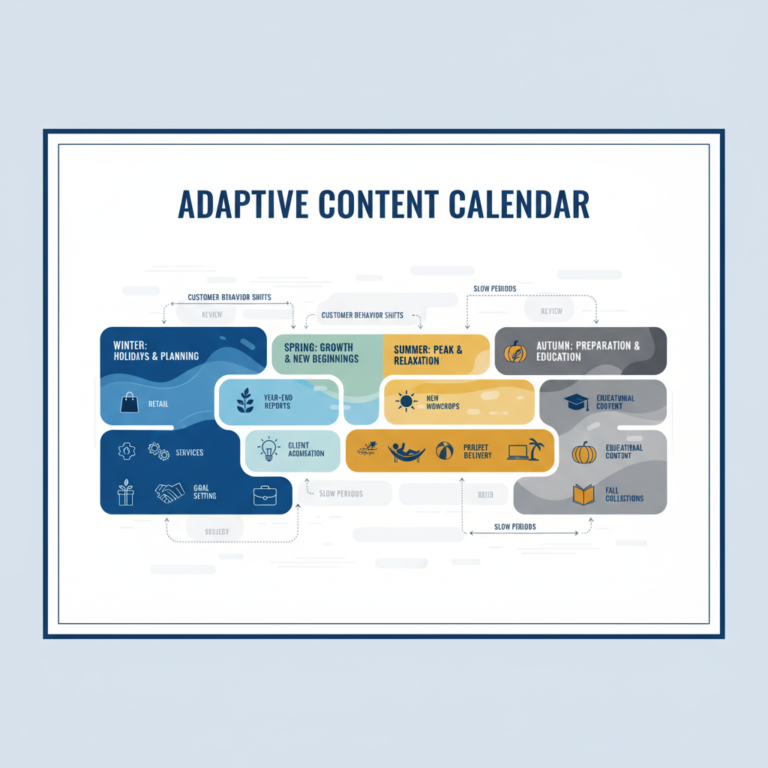
Your blog metrics will also reveal timing patterns that can help you plan better. Maybe you get more email subscribers in January when people are setting goals, or more customer inquiries in September when businesses are planning for the next year.
Understanding these patterns helps you create content at the right times and set realistic expectations for your results. It also helps with content planning for real people with real lives-you can focus your energy on creating content when it’s most likely to generate business results.
Quality vs. Quantity Insights
Most small business owners will find that their best-performing blog posts from a business perspective aren’t necessarily their most popular posts in terms of page views. A post that gets 500 targeted visitors might generate more customers than a post that gets 5,000 random visitors.
This is why vanity metrics can be so misleading. Your blog metrics that matter will show you that it’s better to write fewer, more targeted posts than to chase high page view numbers with generic content. Quality trumps quantity every time when you’re measuring what actually matters.
When the Numbers Look Bad (And What to Do About It)
Let’s be honest: when you first start tracking these blog metrics that matter, you might not like what you see. Maybe you’re getting lots of page views but very few email subscribers. Or perhaps you’re getting subscribers but no qualified leads. Don’t panic-this is actually valuable information.
Low Email Conversion Rates
If less than 1% of your blog visitors are subscribing to your email list, you have a conversion problem, not a traffic problem. The solution usually involves one or more of these fixes:
- Create a more compelling lead magnet that solves a specific problem
- Improve your opt-in form placement and design
- Write more persuasive copy for your calls-to-action
- Ensure your blog content attracts your ideal customers, not just anyone
Remember, it’s better to have 100 highly engaged subscribers who are genuinely interested in your business than 1,000 subscribers who never open your emails.
Subscribers But No Leads
If you’re building an email list but not generating qualified leads, the problem might be in your email nurturing sequence or your blog content targeting. Are you attracting the right people with your content? Are your email sequences actually moving people toward working with you?
This is often where knowing when your blog should sell (and when it shouldn’t) becomes crucial. Your blog content should naturally introduce problems that your services solve, and your email sequence should nurture that connection.
Leads But No Customers
If you’re generating qualified leads but they’re not converting to customers, the issue might be in your sales process rather than your blog content. However, your blog can still help by providing social proof, case studies, and detailed information about your process that helps leads become comfortable with hiring you.
Consider creating blog content specifically designed to address common objections or concerns that come up in your sales conversations. This content can work as a sales tool, helping prospects overcome hesitations and move forward with confidence.
Making Blog Metrics Work With Your Real Life
Here’s the thing about tracking blog metrics: it needs to fit into your actual life and business routine, or it won’t happen consistently. You don’t need to check these numbers every day or create elaborate reporting dashboards. You just need a system that gives you the information you need to make good decisions about your content.
I recommend checking your essential blog metrics monthly, not weekly or daily. Monthly reviews give you enough data to see meaningful trends without getting caught up in short-term fluctuations that don’t mean anything.
Create a simple monthly routine: on the first Friday of each month (or whatever works for your schedule), spend 30 minutes reviewing your three key metrics. Look at the numbers, note any significant changes or patterns, and adjust your content plans accordingly.
This approach aligns with the reality of running a small business where blogging frequency matters less than consistency, and where you need systems that work with your schedule, not against it.
The goal isn’t to become obsessed with numbers-it’s to have enough information to make smart decisions about where to spend your limited time and energy on content creation.
Your Next Steps
Don’t try to implement everything at once. Start with the metric that’s easiest for you to track based on your current setup. If you already have an email list, start there. If you’re getting contact form submissions, focus on qualified lead tracking first.
Pick one metric, set up tracking for it, and give yourself a month to gather baseline data. Once you’re comfortable with tracking one metric consistently, add the second one. Then the third.
Remember, the point of tracking these blog metrics isn’t to create more work for yourself-it’s to make your existing blog work harder for your business. When you know which content actually drives results, you can spend less time guessing and more time creating content that pays the bills.
Your blog can absolutely be a powerful business tool. But only if you measure it like one. Stop counting page views and start counting what counts: email subscribers, qualified leads, and paying customers. These are the numbers that will tell you if your blog is worth the time you’re investing in it-and give you the data you need to make it even better.