Blog Loading Speed: Why Slow Posts Kill Your Business
Your blog loading speed matters more than you think. I’ve watched too many small business owners pour their hearts into brilliant blog posts, only to watch potential customers bounce away before the page even loads. It’s heartbreaking, really.
Here’s the truth: if your blog takes more than three seconds to load, you’re losing half your visitors. They’re gone before they read your first word, see your expertise, or discover how you can help them.
But here’s the good news. You don’t need a computer science degree or a hefty development budget to fix this. Most blog speed problems come from a handful of common culprits, and you can tackle them yourself with some simple, practical steps.
Why Blog Loading Speed Actually Matters for Your Business
Let me paint you a picture. Sarah runs a local accounting firm and writes helpful tax tips on her blog. Her content is gold – practical, clear, exactly what her clients need. But her blog posts take eight seconds to load.
Eight seconds might not sound like much, but in internet time, it’s an eternity. By second three, 40% of her visitors are already gone. By second eight, she’s lost nearly everyone.
Those weren’t just numbers. Those were potential clients who needed her services, who might have hired her, who could have become long-term customers. Instead, they bounced to a competitor whose blog loaded faster.
Google knows this too. Their algorithm favors fast-loading pages because they want to send users to sites that provide a good experience. Slow loading speeds don’t just lose visitors – they hurt your search rankings.
The business impact is real and immediate. Faster blogs get more readers, better search rankings, and ultimately, more customers.
The Simple Way to Test Your Blog Loading Speed
Before you can fix anything, you need to know where you stand. Here’s how to check your blog loading speed without getting lost in technical jargon.
Start with Google PageSpeed Insights. Just type your blog URL into their tool and hit enter. It’ll give you a score from 0 to 100 and show you what’s slowing things down.
Don’t panic if your score isn’t perfect. Most small business blogs score between 40-70, which isn’t great but it’s fixable.
Next, try GTmetrix or Pingdom. These tools show you exactly how long your pages take to load and where the delays happen. They’ll generate waterfall charts that look intimidating, but focus on the big picture: total load time and largest delays.
Test a few different blog posts, not just your homepage. Sometimes individual posts load slower because of embedded videos, image galleries, or other content.
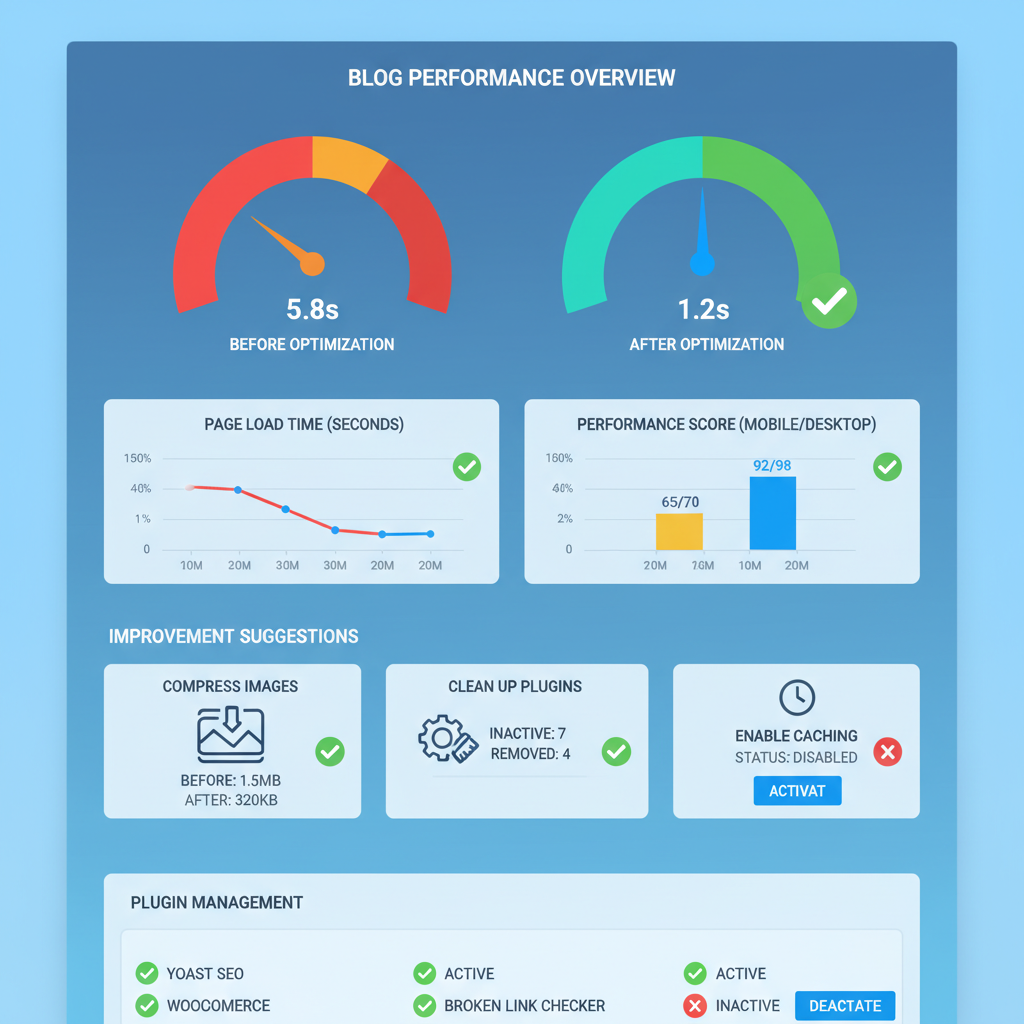
Here’s what you’re looking for: anything over three seconds needs attention. Under two seconds is good. Under one second is excellent.
The Big Speed Killers Hiding in Your Blog Posts
Most blog speed problems come from the same few culprits. Let me walk you through the biggest ones, in order of how much they typically slow things down.
Images That Haven’t Been Optimized
This is the number one killer. I see business owners uploading photos straight from their camera or phone – massive files that are 5MB each, displayed at thumbnail size.
Your camera might take 20-megapixel photos, but your blog doesn’t need them. A typical blog image should be under 100KB. Most can be under 50KB without looking bad.
The fix is simple: resize and compress your images before uploading them. Tools like TinyPNG or your website’s built-in compression can shrink file sizes by 80% without noticeable quality loss.
Too Many Plugins Doing Too Many Things
WordPress plugins are like kitchen gadgets. They seem useful when you install them, but soon you have drawers full of things you never use, all slowing down your site.
Every active plugin adds code that has to load with every page. Some plugins are heavier than others. Social sharing buttons, complex contact forms, and fancy animation plugins are common speed drains.
Review your plugin list monthly. If you haven’t used something in the last three months, deactivate it. Your blog will thank you.
Hosting That Can’t Handle the Load
Sometimes the problem isn’t your blog – it’s where it lives. Cheap shared hosting works fine when you’re starting out, but as your blog grows and gets more traffic, you might outgrow your hosting plan.
Signs you need better hosting: your blog is slow even with optimized images and minimal plugins, it crashes during traffic spikes, or your hosting provider’s uptime is unreliable.
Good hosting doesn’t have to be expensive, but it’s worth investing in quality. Your blog is a business tool, not a hobby project.
Quick Fixes You Can Implement Today
Here are the fastest wins – changes you can make right now that will improve your blog loading speed immediately.
Install a Caching Plugin
Caching sounds technical, but it’s actually simple. Instead of building each page from scratch every time someone visits, caching saves a ready-to-go version.
For WordPress sites, install W3 Total Cache or WP Rocket. They’ll handle most of the technical setup automatically, and you’ll see immediate speed improvements.
Enable Image Compression
If you’re on WordPress, plugins like Smush or ShortPixel will automatically compress new images as you upload them. They can also go back and compress your existing image library.
This single change often cuts load times in half for image-heavy blog posts.
Remove Unused Plugins and Themes
Don’t just deactivate plugins you’re not using – delete them entirely. Same with themes. WordPress loads some theme code even when themes aren’t active.
Be ruthless. If you’re not using it, get rid of it.
Update Everything
Keep your WordPress core, themes, and plugins updated. Updates often include performance improvements and security fixes that help your blog run faster and safer.
Set up automatic updates for minor versions if possible. It’s one less thing to remember.
When to Call in Professional Help
Most blog speed issues are fixable without hiring anyone. But sometimes you need expert help, and recognizing when can save you hours of frustration.
Call a developer if your blog is still slow after you’ve optimized images, cleaned up plugins, and enabled caching. There might be code-level issues or database problems that need professional attention.
Also consider professional help if you’re not comfortable making changes to your site. The cost of hiring someone for a few hours is usually less than the potential loss from a slow blog.
Look for developers who specialize in WordPress performance optimization. They’ll know exactly what to look for and can often fix multiple issues in a single session.
The Content Connection: Speed Affects Everything
Here’s something most people don’t think about: your blog’s loading speed affects how people perceive your content quality.
When visitors have to wait for your posts to load, they’re already frustrated before they start reading. That frustration colors their entire experience with your content.
Fast-loading blogs feel more professional, more trustworthy, more worth following. It’s not fair, but it’s human nature.
This connects directly to your overall business blog strategy. Great topics and compelling headlines only work if people stick around long enough to read them.
Speed also affects how often people return to your blog. If someone has a bad experience because of slow loading, they’re less likely to come back, even if they found your content valuable.
Making Speed Monitoring Part of Your Routine
Don’t check your blog speed once and forget about it. Make it part of your regular maintenance routine, like auditing your content or reviewing your blog metrics.
Check your speed monthly, especially after adding new plugins, uploading large image galleries, or making design changes. What loads fast today might slow down tomorrow as you add content.
Keep notes about what changes affect your speed. If installing a new plugin drops your score by 10 points, you’ll know to look for a lighter alternative.
Consider setting up automated monitoring through tools like UptimeRobot or Pingdom. They’ll alert you if your blog becomes unusually slow, often before you notice it yourself.
The Business Case for Fast Loading
Let’s talk numbers, because this matters to your bottom line. A one-second delay in page load time typically reduces conversions by 7%. For a small business blog that generates leads or sales, that’s real money.
Better yet, faster blogs rank higher in search results. Google’s algorithm considers page speed as a ranking factor, especially on mobile devices where most people browse.
Higher rankings mean more organic traffic. More traffic means more potential customers seeing your expertise and services.
Fast blogs also cost less to run. They use fewer server resources, which can lower your hosting costs as you grow.
Think of blog speed optimization as an investment in your business infrastructure. You’re not just making your current visitors happy – you’re building a foundation for future growth.
Moving Forward: Speed as a Business Strategy
Your blog loading speed isn’t just a technical concern – it’s a business strategy. Fast blogs get more readers, better search rankings, and higher conversion rates.
Start with the quick wins: optimize your images, enable caching, and clean up unused plugins. Most small business blogs see dramatic improvements from these basic steps.
Remember, you don’t need perfection. You need improvement. A blog that loads in two seconds instead of eight will transform your reader experience and business results.
As you continue building your content strategy – whether you’re following efficient posting routines or implementing practical content planning – make sure speed stays on your radar.
Because the best content in the world doesn’t matter if nobody stays around long enough to read it.