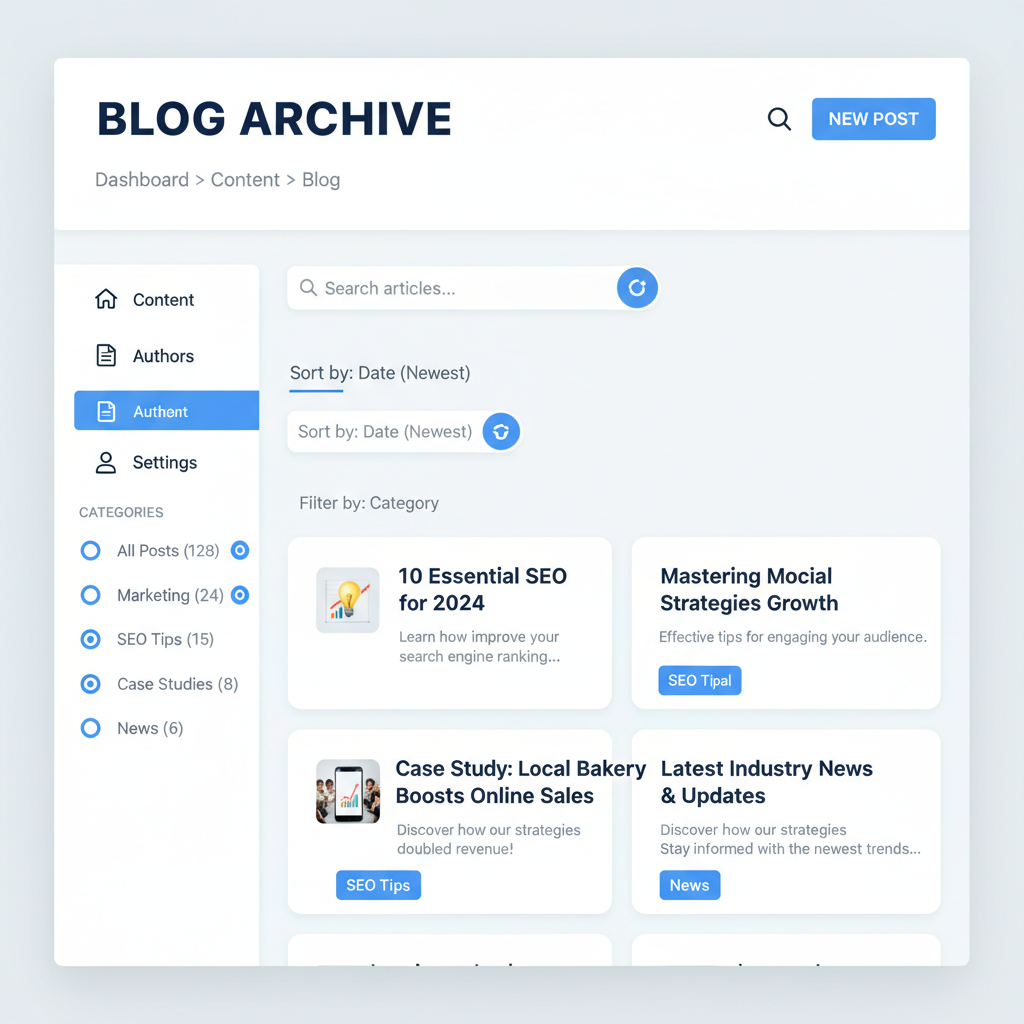
Blog Archive Optimization: Turn Old Posts Into Sales
Your blog archive optimization might be the most overlooked goldmine in your content strategy. Right now, you’ve probably got dozens of blog posts sitting in your archive like old books in a dusty library. Visitors stumble in, can’t find what they need, and leave empty-handed. But here’s the thing – those old posts could be working harder than your newest content if you set them up right.
Think about it. You’ve spent hours writing those posts. You poured your expertise into them. Yet most small business owners treat their blog archives like storage units – out of sight, out of mind. Meanwhile, your competitors are turning their content history into customer journeys that actually convert.
Why Blog Archive Optimization Matters More Than You Think
Here’s what I see all the time: A potential customer finds your latest blog post through Google. They like what they read. They want to see more of your work. So they click on your blog page and… chaos. Posts from three years ago mixed with last week’s content. No clear path forward. No obvious next step.
That visitor just bounced. Not because your content was bad, but because you didn’t make it easy for them to dive deeper.
Your blog archive should work like a well-organized bookstore. Clear sections. Logical flow. Easy browsing. When someone walks in, they should immediately understand how to find what they’re looking for.
Moreover, search engines love organized content. A well-structured archive helps Google understand your site better. That means better rankings for all your posts, not just the new ones.
The Real Problem With Most Blog Archives
Let me paint you a picture. A potential customer lands on your blog archive page. They see:
- Random post titles with no context
- Tiny excerpts that say nothing useful
- No clear categories or themes
- No indication of what problems each post solves
- Disconnection between related topics
It’s like walking into a restaurant where the menu is just a list of ingredient names. You know there’s probably something good in there, but you can’t figure out what goes together or what you actually want to order.
The worst part? You’re losing customers who would have bought from you if they could just find the right content to build that trust and demonstrate your expertise.
I’ve seen businesses double their blog-driven leads just by reorganizing their archives. Not by writing new content – by making their existing content findable and useful.
Start With Your Best Content First
Before you reorganize everything, figure out which posts actually work. Look at your analytics. What posts get the most traffic? Which ones have the lowest bounce rates? Where do you generate the most engagement or leads?
Those are your anchor posts – the content that proves you know what you’re talking about. These should be easy to find from your archive page.
If you haven’t been tracking this stuff, start now. But don’t let perfect be the enemy of good. You probably have a gut feeling about which posts perform best. Trust that instinct and verify with data later.
Also, think about which posts best represent your business. If someone could only read three of your blog posts before deciding whether to hire you, which three would you choose? Those belong front and center.
Remember, conducting a content audit will help you identify what to keep, kill, or fix in your existing content library.
Create Clear Category Systems That Actually Help
Most blog categories are useless. “News,” “Updates,” “General” – these tell visitors nothing about whether the content will solve their problems.
Instead, organize by the problems you solve or the outcomes your customers want. If you’re a marketing consultant, don’t use categories like “Social Media” and “Email Marketing.” Use categories like “Get More Leads” and “Increase Sales.”
Think like your customer, not like your industry. They don’t care about your process – they care about their results.
Keep it simple. Three to five main categories work better than fifteen specific ones. You can always use tags for more detailed organization.
Each category should have a clear description that explains what visitors will find there and why they should care. Make it immediately obvious which section contains the solution to their specific problem.
For more guidance on this, check out how to create blog categories that actually help customers find you.
Design Archive Pages for Scanning, Not Reading
People don’t read archive pages – they scan them. Your job is to make scanning as effective as possible.
Use clear, descriptive headlines that tell visitors exactly what each post covers. Avoid clever wordplay or insider jokes. Be boringly clear instead.
Write excerpts that explain the specific value of each post. Don’t just copy the first paragraph. Write a mini sales pitch for why someone should click through to read the full article.
Add visual cues to help people navigate. Use consistent formatting. Maybe add little icons or labels to indicate post types – “Case Study,” “How-To,” “Tool Review.”
Consider adding estimated reading times. Busy people want to know if they’re committing to a 2-minute read or a 20-minute deep dive.
Most importantly, make your call-to-action obvious on every post preview. Whether that’s “Read More,” “Get the Guide,” or “See Results,” don’t make visitors guess what happens when they click.
Link Related Posts Like Breadcrumbs
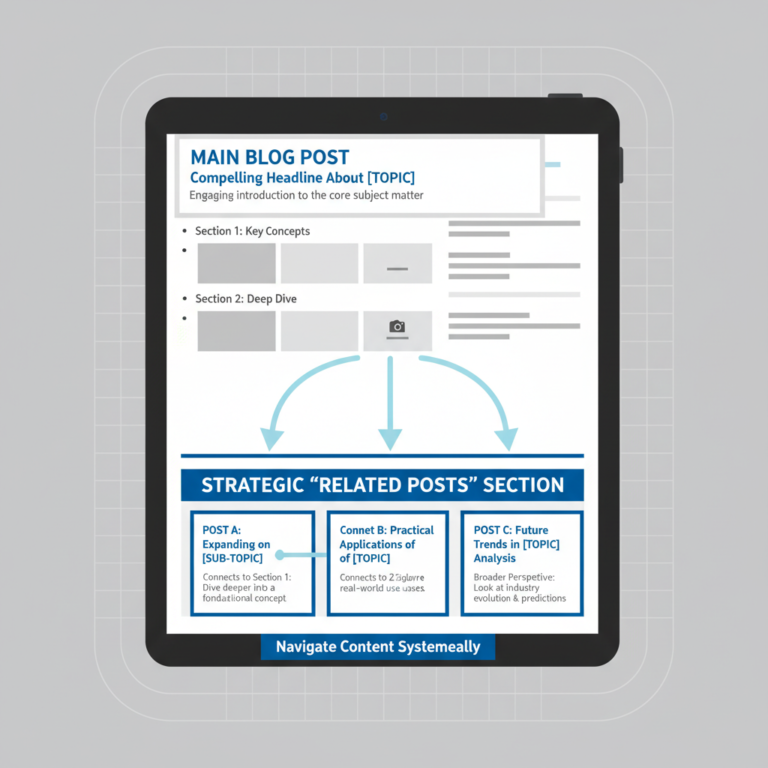
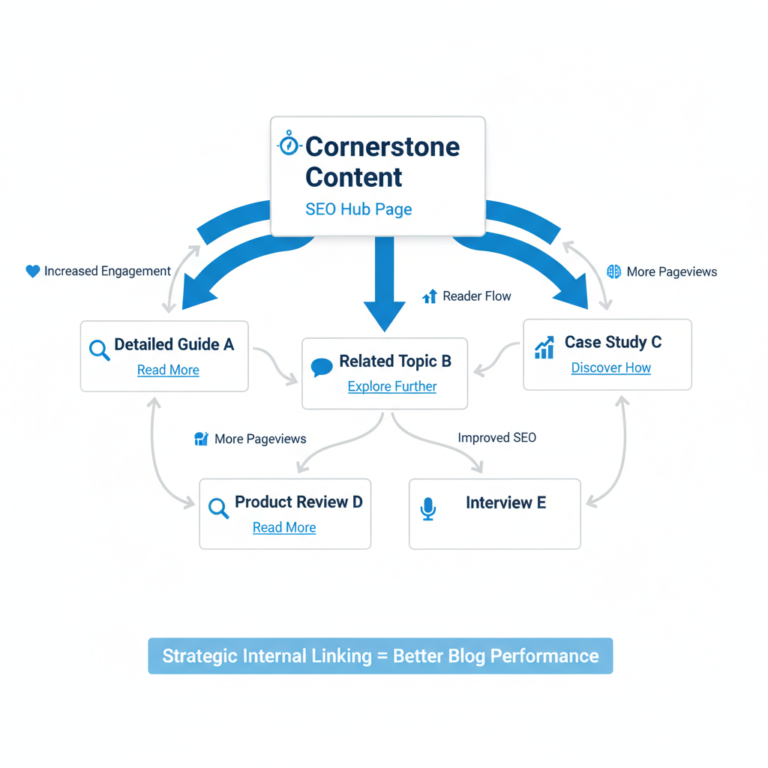
Your blog archive optimization should create natural reading paths. When someone reads a post about email marketing, they should easily find your posts about list building, automation, or campaign optimization.
This isn’t just about user experience – it’s about keeping people on your site longer and demonstrating the breadth of your expertise.
Add “Related Posts” sections to individual articles. But make them actually related. Don’t just show the three most recent posts. Show the three most relevant ones.
Create content series and make them obvious. If you’ve written five posts about social media strategy, group them together and present them as a mini-course.
Think about the customer journey. Someone reading about basic concepts should see links to more advanced topics. Someone reading advanced strategies should see links to foundational posts they might have missed.
This approach works especially well when you understand blog topics that drive business results for small owners.
Add Search and Filter Options
Sometimes people know exactly what they’re looking for. Make it easy for them to find it.
Add a search box to your blog archive page. But don’t stop there – make sure it actually works well. Test it yourself. Search for topics you’ve written about and see if the right posts come up.
Consider adding filter options for different content types, publication dates, or topics. This is especially useful if you publish frequently or cover multiple subject areas.
You might also add a “Most Popular” section that automatically highlights your best-performing content. This leverages social proof – if other people found these posts valuable, new visitors probably will too.
Don’t overthink this. Simple is better than complex. The goal is to help people find relevant content quickly, not to build a NASA-level navigation system.
Turn Archives Into Lead Magnets
Here’s where most people miss the big opportunity. Your blog archive can be a lead generation tool, not just a content library.
Create curated collections of your best posts around specific topics. Package them as free resources. “The Complete Guide to Email Marketing” could be a collection of your 8 best email-related posts, delivered as a PDF or email series.
Add opt-in forms to your archive pages. Not aggressive pop-ups – subtle invitations to get your best content delivered directly to their inbox.
Consider which posts naturally lead to your services. If you’re a business consultant and someone reads your post about strategic planning, they might be ready to talk about hiring you for strategy work. Make that next step obvious.
Remember the strategy behind email list building that’s hidden in your blog posts – your archive can be a powerful list-building tool.
Make Old Posts Look Fresh
Nothing kills credibility like obviously outdated content. But you don’t need to rewrite everything – just make smart updates.
Add update dates to posts when you refresh them. “Originally published March 2023, updated April 2026” shows you keep your content current.
Review your most popular older posts quarterly. Update statistics, add new examples, remove dead links. Small updates can give old content new life.
Sometimes you can combine several older posts into one comprehensive guide. This reduces the clutter in your archives while creating more valuable resources.
Don’t be afraid to retire posts that no longer represent your best work or current thinking. It’s better to have 50 excellent posts than 100 mediocre ones.
This connects back to knowing why your business blog died and how to revive it – sometimes the problem isn’t lack of new content but poor organization of existing content.
Track What Actually Matters
Finally, measure the right things. Don’t just count archive page views. Track how archive visitors behave compared to other visitors.
Do people who find you through archive pages spend more time on your site? Are they visiting more pages? Do they contact you more often?
Pay attention to which archive categories get the most engagement. This tells you what topics resonate most with your audience and should guide your future content planning.
Track how often people use your archive search function and what they search for. These searches reveal content gaps – topics your audience wants that you haven’t covered yet.
Monitor which older posts start getting renewed traffic after you optimize your archives. Sometimes reorganizing your content can breathe new life into forgotten gems.
For deeper insights into tracking the right metrics, read about blog metrics that actually matter for business results.
Your Archive Optimization Action Plan
Don’t try to fix everything at once. Start with these steps:
First, audit your current archive. How many posts do you have? Which ones perform best? What categories make sense for your business?
Second, create 3-5 logical categories based on customer problems or desired outcomes. Reorganize your existing content into these categories.
Third, rewrite your post excerpts to focus on value rather than just content summaries. Make each excerpt a mini sales pitch for reading the full post.
Fourth, add related post suggestions to your best-performing articles. Create obvious paths for readers to dive deeper into your content.
Finally, create one curated collection of your best posts as a lead magnet. Test how well it converts compared to your existing lead generation efforts.
Your blog archive optimization doesn’t have to be perfect immediately. But it should be intentional. Every change should make it easier for visitors to find relevant content and take the next step toward working with you.
Remember, you’ve already done the hard work of creating valuable content. Now just make it easier for people to find and use that value. Your future self – and your bank account – will thank you.