Blog Categories That Actually Help Customers Find You
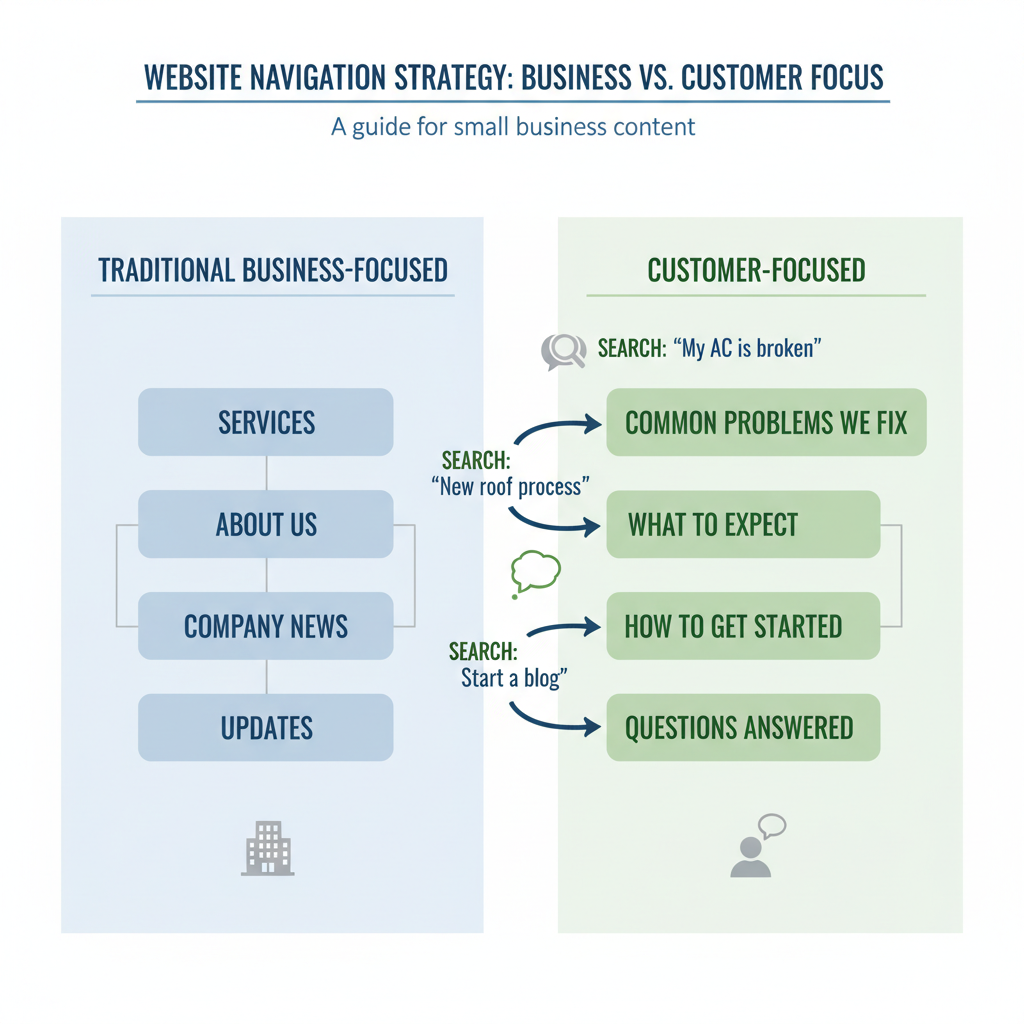
Here’s something I see all the time: small business owners setting up blog categories like “News,” “Updates,” or “Company Culture.” Makes perfect sense from inside your business, right? Problem is, your customers aren’t thinking that way when they’re searching for solutions at 2 AM.
Your blog categories should work like helpful signposts for people who need what you offer. Instead of organizing content around how you think about your business, smart categories organize around how your customers think about their problems.
Let’s talk about building a category structure that actually helps people find you when they’re looking for answers.
Why Most Blog Categories Don’t Help Customer Search
Walk into most small business websites and you’ll see categories that make sense to the business owner but confuse everyone else. I get it – when you’re setting up your blog, it feels natural to organize things the way you organize your business.
But here’s the thing: your customers don’t know your industry jargon. They don’t think in terms of your service offerings. They think in terms of their problems, their situations, their immediate needs.
A plumber might organize content under “Residential Services” and “Commercial Services.” Meanwhile, someone with a leaky faucet at midnight is googling “how to stop kitchen faucet from dripping” – not browsing residential service categories.
The disconnect is real, and it’s costing you traffic.
The Search Intent Problem
Google’s gotten scary good at understanding what people actually want when they search. They’re not just matching keywords anymore – they’re trying to figure out intent.
Someone searching “best accounting software” wants comparison information. Someone searching “QuickBooks login problems” needs troubleshooting help. Someone searching “small business tax deductions” is looking for educational content.
Your categories should match these different types of search intent. This is exactly what I covered in Blog Topics That Drive Business Results for Small Owners – understanding what your customers are actually searching for.
How to Structure Blog Categories Around Customer Problems
Forget about your org chart for a minute. Think about the conversations you have with customers. What problems do they bring to you? What questions do they ask before they’re ready to buy?
Those problems and questions? That’s your category structure right there.
Instead of “Services” try “Common Problems We Fix.” Instead of “About Our Process” try “What to Expect.” Instead of “Industry News” try “What This Means for You.”
The Problem-Solution Category Framework
Here’s a simple way to think about it: most customer searches fall into one of these buckets:
“How do I…” categories answer process questions. For a marketing consultant, this might be “How to Get More Customers” or “How to Track Marketing Results.”
“What is…” categories explain concepts and options. “What is Content Marketing” or “What to Look for in a Marketing Agency.”
“Why does…” categories address underlying concerns. “Why Your Website Isn’t Getting Traffic” or “Why Marketing Campaigns Fail.”
“When should I…” categories help with timing decisions. “When to Hire a Marketing Consultant” or “When to Redesign Your Website.”
Notice how these all start with customer questions, not your business categories?
Local Search Considerations
If you serve local customers, your category structure should reflect that too. Instead of generic categories, include location-specific ones that match how people search locally.
A roofing company in Austin might have categories like “Austin Roof Repair,” “Texas Storm Damage,” or “Hill Country Roofing Materials.” These match exactly how local customers search.
This ties into what I discussed in Local Business Blog Strategy: Why Location-Based Content Wins – your categories should support your local SEO strategy.
Examples of Customer-Focused Blog Categories
Let me show you what this looks like in practice across different types of businesses.
Professional Services Examples
A financial advisor might use:
• “Planning for Retirement” (instead of “Retirement Services”)
• “Dealing with Debt” (instead of “Financial Planning”)
• “Saving for Big Goals” (instead of “Investment Management”)
• “Tax Questions Answered” (instead of “Tax Services”)
An attorney might use:
• “When You’ve Been Injured” (instead of “Personal Injury Law”)
• “Starting Your Business” (instead of “Business Law”)
• “Protecting Your Family” (instead of “Estate Planning”)
• “Dealing with Divorce” (instead of “Family Law”)
Product-Based Business Examples
A home improvement store might organize around:
• “Weekend Projects” (instead of “Tools”)
• “Seasonal Maintenance” (instead of “Hardware”)
• “Emergency Repairs” (instead of “Supplies”)
• “Upgrade Ideas” (instead of “Fixtures”)
An online retailer might use:
• “Gift Ideas by Occasion” (instead of “Products”)
• “Solve Common Problems” (instead of “Categories”)
• “Budget-Friendly Options” (instead of “Sale Items”)
• “Professional Recommendations” (instead of “Featured Products”)
Service Business Examples
A cleaning service might create categories like:
• “Moving In or Out” (instead of “Deep Cleaning”)
• “Getting Ready for Guests” (instead of “Regular Cleaning”)
• “After Construction Mess” (instead of “Specialized Services”)
• “Seasonal Deep Cleaning” (instead of “Quarterly Services”)
See the pattern? Every category starts with a customer situation, not a business service description.
Testing and Refining Your Blog Categories
Don’t expect to get your category structure perfect on the first try. Like everything else in content planning for real people with real lives, this is something you refine over time.
Start by looking at your current analytics. Which blog posts get the most traffic? What search terms bring people to your site? Those successful posts can guide your category decisions.
Then pay attention to customer conversations. What language do they use when describing their problems? Those exact phrases often make great category names.
Using Search Data to Guide Categories
Google Search Console is your friend here. Look at the queries that bring people to your site. Group similar searches together – those groups often suggest natural category divisions.
If you’re seeing searches for “how to fix leaky pipe,” “emergency plumbing repair,” and “water damage from broken pipe,” you might need a “Plumbing Emergencies” category.
Don’t overthink this. As I mentioned in The Case Against Perfect Blog Posts for Small Business, done is better than perfect. Start with categories that make sense based on what you know now, then adjust as you learn more.
The Customer Language Test
Here’s a simple test for any category name: would your customer use that exact phrase when telling a friend about their problem?
“I need help with my digital marketing strategy” – probably not.
“I can’t figure out why nobody’s finding my website” – much more likely.
“I’m looking for estate planning services” – sounds like marketing copy.
“I need to get my will figured out” – sounds like a real person.
Use the language real people use, not the language your industry uses.
Common Blog Category Mistakes to Avoid
Let me save you some time by highlighting the category mistakes I see most often.
Too Many Categories
More isn’t better when it comes to blog categories. If you have 15 different categories, visitors get overwhelmed and search engines get confused about what you actually focus on.
Stick to 5-8 main categories max. If you find yourself creating more, you’re probably thinking too much like a business owner and not enough like a customer.
Remember, as I covered in The 15-Minute Blog Post That Actually Works, simplicity often wins over complexity.
Industry Jargon Categories
Your customers don’t speak your industry language. They don’t search for “B2B lead generation solutions” – they search for “how to get more business customers.”
Every time you write a category name, ask: “Would my mom understand what this means?” If not, simplify it.
Company-Centric Categories
Categories like “Our Story,” “Company News,” or “Meet the Team” might matter to you, but they don’t help customers find solutions to their problems.
If you want to include company information, make it customer-relevant. Instead of “Our Story,” try “Why We Do This Work.” Instead of “Meet the Team,” try “Who You’ll Work With.”
Duplicate Categories
Sometimes businesses create categories that overlap too much. “Home Maintenance” and “House Repairs” might make sense to you, but they’ll confuse both visitors and search engines.
Pick one clear category name per topic area and stick with it.
Making Categories Work With Your Content Strategy
Your blog categories shouldn’t exist in isolation – they need to support your overall content strategy and business goals.
Think about your customer journey. What questions do people ask at different stages? Early-stage categories might focus on education and problem identification. Later-stage categories might address comparison and decision-making.
This connects directly to what I discussed in When Your Blog Should Sell (And When It Shouldn’t) – different types of content serve different purposes in your sales process.
Connecting Categories to Business Goals
Each category should ultimately support a business objective. A “Common Problems We Fix” category supports lead generation by attracting people with those exact problems. A “What to Expect” category builds trust by addressing customer concerns upfront.
Don’t create categories just because they seem logical. Create them because they help move potential customers toward working with you.
Seasonal and Timely Categories
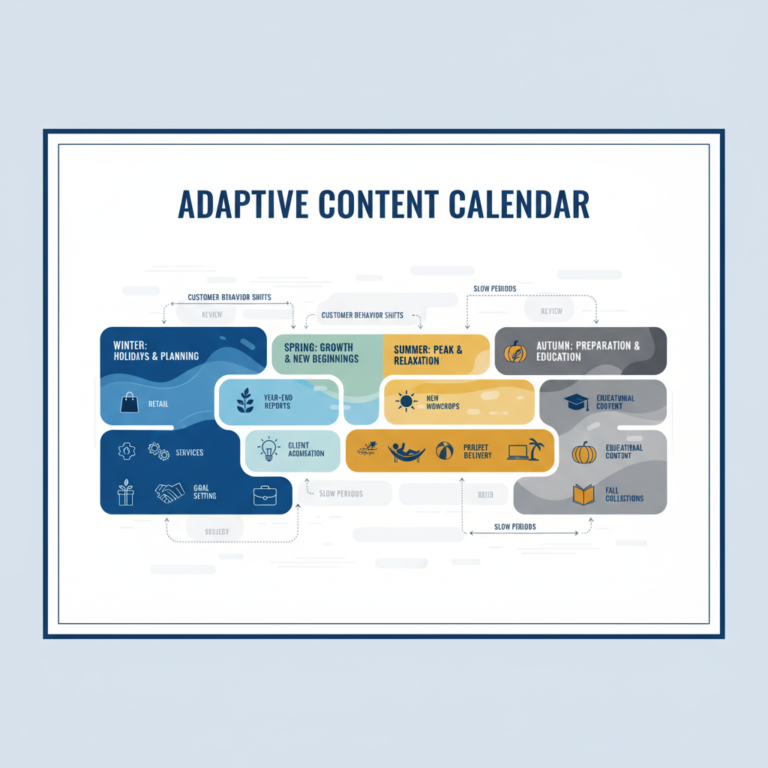
Some businesses benefit from seasonal categories that reflect how customer needs change throughout the year.
A landscaping company might have “Spring Prep,” “Summer Maintenance,” “Fall Cleanup,” and “Winter Protection” categories. These match exactly how homeowners think about yard care throughout the year.
Tax preparers might organize around “Tax Season Prep,” “Year-Round Planning,” and “Small Business Taxes.” Again, these reflect customer thinking patterns, not business service divisions.
Measuring Category Success
How do you know if your blog categories are actually helping customers find you? Look at the right metrics, not just vanity numbers.
As I covered in Blog Metrics That Matter: Track Business Results, Not Vanity, focus on metrics that connect to business outcomes.
Track which categories generate the most qualified leads, not just the most page views. A category with lower traffic but higher conversion rates might be more valuable than a high-traffic category that doesn’t lead to business.
Category Performance Indicators
Look at several key metrics for each category:
Organic search traffic: Are people finding your category pages through search? This indicates you’re matching search intent.
Time on page: Are visitors sticking around to read? This suggests your content matches their expectations.
Internal link clicks: Are people clicking through to related posts? This shows your category organization makes sense to visitors.
Lead generation: Which categories produce the most contact form submissions, email signups, or phone calls?
Customer feedback: What do actual customers tell you about how they found and navigated your content?
Iterating Based on Results
Don’t be afraid to change category names or reorganize content based on what you learn. Your categories should evolve as you better understand your customers and their search behavior.
Maybe “Emergency Repairs” generates more traffic than “Urgent Service Calls.” Maybe “Budget-Friendly Solutions” resonates better than “Affordable Options.”
Small language changes can make a big difference in how well your categories work for both search engines and real people.
The goal isn’t to set up perfect categories from day one – it’s to create a system that helps your ideal customers find exactly what they need when they’re ready to find it. And that system works best when it’s built around their problems, not your business structure.
Smart blog categories turn your website into a helpful resource that attracts the right people and guides them toward working with you. That’s the kind of website that actually works harder for your business instead of just sitting there looking pretty.