NuTekAI Automation Starter Kit
4 Ready-to-Launch AI Workflows for SMBs
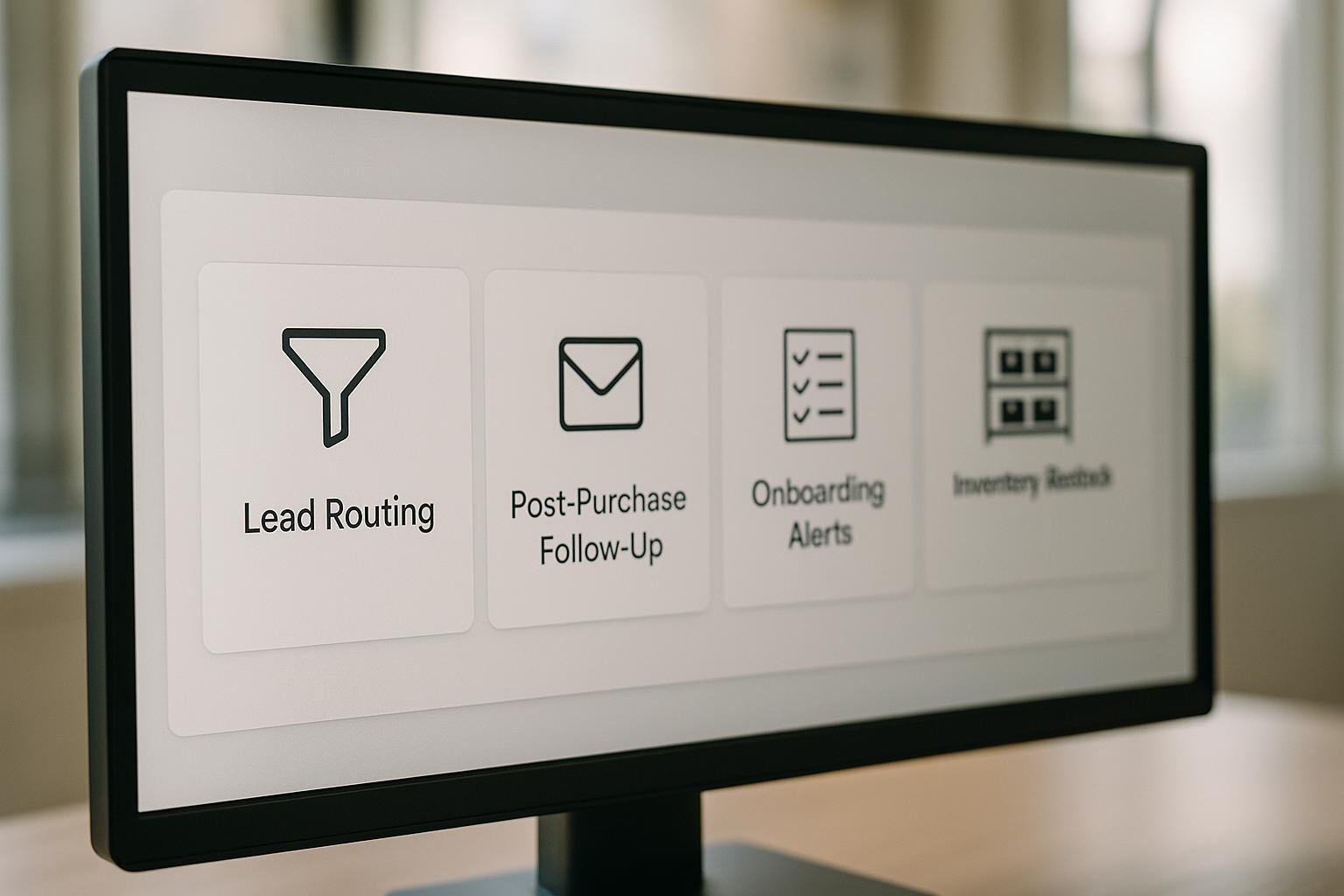
Running a small business often means juggling processes across sales, marketing, customer success, and operations. The good news: you can deploy four pre-built AI automations in just a few days, with minimal code and maximum impact. Each workflow below is designed to plug into common SMB systems (CRM, email, onboarding portals, inventory software) and deliver measurable results—from faster lead responses to healthier stock levels.
Before you start, map your current flow for each area. Identify the trigger that starts the automation, the action that should follow, and who should be notified. The goal is not to replace human work but to remove repetitive tasks and free up time for high-value decisions. For a solid mental model of how to structure these patterns, consider reading automation foundations.
Lead routing automation
What it does: When a new lead enters your funnel, an AI rule evaluates key details (region, product line, lead score) and routes the lead to the most appropriate team member or queue. This reduces response times and ensures the right person handles each inquiry.
- How to set it up: connect your CRM or form platform to an automation tool, define routing rules (e.g., if region is East, route to Jane; if interest is enterprise, route to the enterprise sales queue), and configure notifications.
- Best-practice example: a boutique software firm uses lead routing to direct trials to the product specialist and high-value inquiries to the VP of Sales.
- Key benefits: faster responses, higher qualification accuracy, and better team utilization.
Implementation quick-start: Start with a pilot in one region or product line for two weeks. After you validate routing accuracy, scale to additional regions. For ongoing improvement, monitor first-contact time and conversion rate from lead to opportunity.
Internal reading: AI lead intake automation can help wire up lead forms, auto-assign owners, and set reminders. For broader process thinking, explore automation foundations as you expand your setup.
Post-purchase follow-up
What it does: After a customer completes a purchase, this automation sends a personalized follow-up sequence. It can confirm delivery or installation, request a review, offer helpful tips, and cross-sell relevant add-ons. The aim is to deepen satisfaction and drive repeat business without manual outreach.
- Setup steps: trigger on order completion, segment customers by product or channel, select message templates, and schedule follow-ups (e.g., 3 days after delivery, 14 days after purchase).
- Real-world scenario: a home goods retailer uses post-purchase follow-up to share care guides, request product feedback, and invite customers to join a loyalty program.
- Results you can expect: higher review rates, improved net promoter scores, and increased repeat purchase rate.
Implementation tips: A/B test subject lines and message copy, keep timing subtle, and ensure that follow-ups respect opt-out preferences. If you use a helpdesk or CRM, link follow-ups to a customer’s support history to personalize the touchpoints.
Practical tip: for hands-on guidance on how automation can support service teams, see AI helpdesk. For a broader view on aligning automation with strategy, read automation foundations.
Customer onboarding alerts
What it does: When a new customer signs up, this workflow triggers onboarding tasks for your team and sends a welcome checklist to the user. If a user hasn’t completed key steps by a certain date, the system escalates to ensure adoption and remove friction.
- Setup steps: define onboarding stages (welcome, setup, first-use), assign owners per stage, and connect with your product docs or knowledge base.
- Best-practice example: a SaaS startup uses onboarding alerts to nudge customers through initial setup and to trigger a kickoff call when a new account is created.
- Impact: smoother onboarding reduces early churn, increases product adoption, and accelerates time-to-value.
How to deploy quickly: create a lightweight onboarding plan with 3–5 micro-tasks, attach deadlines, and give owners visibility into progress. Monitor completion rates and time-to-activation to catch blockers early. This pattern pairs well with the automation foundations approach to ensure consistency across teams.
Inventory restock alerts
What it does: When stock levels dip below your defined threshold, this automation triggers a restock alert or even auto-creates a purchase order with your supplier. It helps prevent stockouts and reduces manual checking.
- How to configure: connect your inventory system, set minimum stock levels per item, and specify the restock action (email the supplier, create an order, or alert a purchasing manager).
- Common scenario: a small electronics retailer sets a 10-unit minimum for popular accessories and automates restock orders when inventory hits that level.
- Benefits: fewer stockouts, more accurate forecasting, and less manual inventory chasing.
Practical notes: Start with critical items first and gradually expand to wider product lines. Track stock-out events and back-ordered items to refine thresholds and supplier SLAs. If you’re already using a low-code automation approach, you can extend your setup with supplier integration for seamless restocking.
Where to go next: these four workflows form a solid starter kit. If you want to see another practical pattern, explore abandoned cart recovery for ecommerce teams and cross-industry learnings, which you can read about here.
In all cases, the key is to start small, test, and iterate. With the right triggers, data, and guardrails, you can transform everyday SMB operations into a streamlined, measurable system that scales with your business.