Hands-On AI Orchestration
Connecting Your Apps for Unified Workflows with NuTekAI
In a small business, data lives in silos: your CRM holds customer details, the helpdesk tracks support requests, scheduling apps manage appointments, and finance tools handle invoices. AI orchestration is the practice of stitching these systems together so that data flows automatically, decisions are made where they matter, and people can focus on delivering value. This guide walks through the practical architecture, recurring patterns, and a starter roadmap you can implement this quarter with NuTekAI.
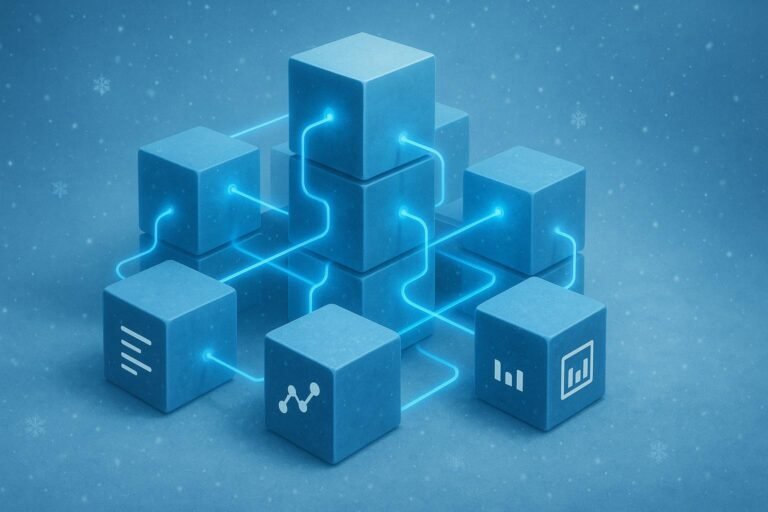
Think of orchestration as a conductor. Each app contributes a capability, and NuTekAI connects them into a seamless flow. When a customer signs up, for example, a single event can create a new contact in the CRM, spawn a support ticket if needed, schedule a welcome call, and generate an invoice preview—all without manual clicks. The result is faster response times, fewer errors, and a clearer view of what happens next in your business process.
For a practical starting point, explore low-code AI for small teams. This approach lets you build dependable automations with minimal code, so you can prototype without a full developer backlog. You’ll learn how to map a simple workflow, pick integrations that matter most, and test end-to-end flows before scaling.
Core architecture patterns you can trust
Successful AI orchestration relies on a few reliable patterns. First, adopt an API-first mindset. If you can describe capabilities in a stable API surface, you can swap in new services without reworking your entire stack. Second, design for event-driven triggers. A single action in one app should ripple through connected systems the moment it happens—no manual polling needed. Third, define a central orchestration layer that coordinates tasks, enforces guardrails, and surfaces a single view of progress. This is where NuTekAI shines, acting as the hub that ties CRM, helpdesk, scheduling, and finance together.
Organizations often start with a lightweight, rule-based module that handles common cases: new lead adds a record in the CRM, a support ticket is opened if a customer reports an issue, a calendar event is created for follow-ups, and an invoice draft is prepared for approval. As you mature, you can layer more advanced logic—machine learning-based routing, anomaly detection on payment data, or automated escalations when service levels slip. If you’re curious about how a robust control framework can guide your setup, read more about control framework.
Starter roadmap: 90 days to a first automated workflow
Day 1–14: Inventory and map. List the core apps you use (CRM, helpdesk, scheduling, finance) and identify the top customer journey you want to automate. Pick one end-to-end scenario as a pilot. Write down the inputs, outputs, and decision points. Create a simple diagram that shows data moving between systems. If you need a practical blueprint, you can draw inspiration from our approach to AI helpdesk patterns and how tickets flow through a service desk.
Day 15–30: Build a minimal orchestration. Start with a single trigger (e.g., a new customer submission) and implement two or three connected steps—update CRM, create a calendar event, and draft an invoice. Use a lightweight, low-code implementation so you can test quickly. When you run into blockers, reference the sample structures described in our article on low-code AI for small teams to keep momentum.
Day 31–60: Add guardrails and observability. Implement error handling, retries, and clear statuses for each step. Create a simple dashboard that shows the current state of the workflow, which apps participated, and where data moved. At this stage, you may want to optimize for speed: reduce manual handoffs and ensure data consistency across systems. A practical pattern to consider is automating invoice processing as part of the workflow; many teams see big gains when you automate approvals and postings. You can explore our case study on invoice automation to see how this plays out in real business settings.
Day 61–90: Scale and extend. Expand the automation to additional teams, add more data-enrichment steps, and experiment with decisioning rules that route tasks to the right teammates. Start to monitor business outcomes: cycle times, error rates, and customer satisfaction. If you’re handling leads and scheduling for service-based businesses, you’ll benefit from refining how leads flow into the calendar, icons, and CRM in a single, auditable chain. For broader context on automating scheduling and lead intake, see our discussions around AI lead intake and scheduling for home services.
With a clear starter roadmap, you’ll have a concrete path to test, learn, and expand your automated workflows. The ability to connect apps without heavy coding makes NuTekAI a practical partner for SMBs who want speed, reliability, and measurable improvements in operational efficiency.
Security and governance for growing automation
As you connect more apps, you’ll want guardrails that prevent data leaks and unauthorized changes. Start with role-based access control, strict least-privilege settings, and an auditable trail of who did what and when. Centralized logging helps you spot unusual data movement and troubleshoot failures quickly. Keep governance lightweight at first, then expand as your automation footprint grows. The goal is a repeatable, auditable process you can explain to a stakeholder in a single page.
For governance patterns and guardrails, there are practical resources across our automation posts that you can study as you grow.