Low-Code AI for Small Teams
Kickstart Automations in 1 Week
Automation doesn’t require a heavy build or a big budget. With low-code AI, small teams can automate repetitive tasks and reclaim hours each week. This practical approach helps you pick a couple of high-impact processes – like invoicing, data entry, and scheduling – and set up simple, governed automations in a week.
In this guide you’ll learn a fast, safe path to value in days, plus a starter playbook to keep automation predictable. We’ll also share real-world examples and a governance checklist so you avoid sprawl and maintain visibility.
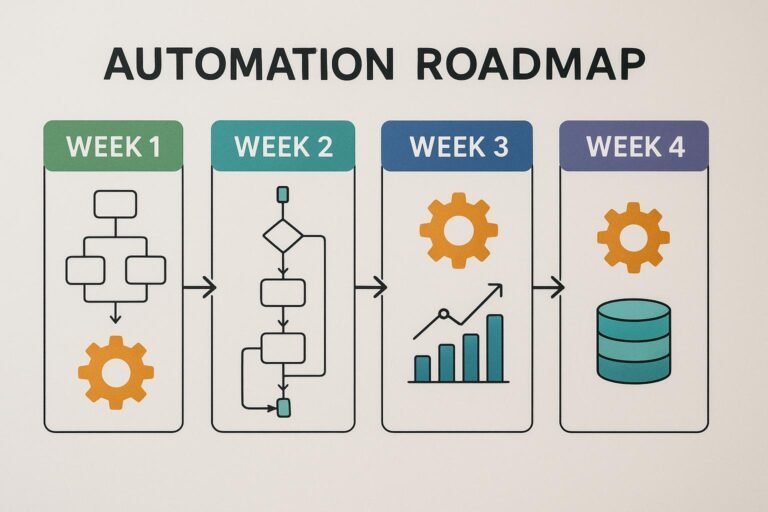
Day-by-day plan to a working automation
- Day 1: Define the scope — pick 1-2 high-impact tasks (invoicing, data entry, scheduling) and map the steps you currently perform. Identify the inputs, decisions, and outputs.
- Day 2: Choose a low-code tool — compare visual builders that support AI actions, connectors, and human-in-the-loop checks. Start with a tool that integrates with your existing apps (CRM, accounting, calendar).
- Day 3: Build a minimal workflow — create a single, end-to-end automation for one task, such as auto-creating an invoice from a form submission and exporting to your accounting software. Be sure to test with sample data.
- Day 4: Add governance guardrails — define ownership, approval steps, and error handling. Document the workflow in a shared playbook so teammates can audit changes later.
- Day 5: Expand with data entry — automate repetitive data capture from emails or forms into a structured sheet or database, then trigger alerts for anomalies.
- Day 6: Schedule and reminders — use the automation to post calendar invites, send reminders, and stage follow-ups automatically.
- Day 7: Review and refine — collect feedback, review metrics, and tighten thresholds. Prepare a short runbook for future improvements.
As you move through the week, keep the scope tight. Aim for 1 solid workflow you can monitor daily. If you’re unsure where to start, use a starter playbook that outlines a simple go-live checklist and a governance model.
A starter playbook and governance tips
A lightweight playbook helps you stay aligned as you automate. Include roles, decision rights, and a simple budget for automation runs. A few practical tips:
- Ownership: assign a clear owner for each automation. This person is responsible for updates and incident response.
- Guardrails: set thresholds for alerts, retries, and escalation paths to prevent runaway processes.
- Documentation: keep a living document describing inputs, outputs, and error handling steps. Link to your playbook in team chat or your wiki.
- Auditing: schedule quarterly reviews to prune unused automations and verify data integrity.
Examples in the wild show how a small team can transform workflows with modest toolsets. For instance, a business that handles client onboarding can automate data capture and initial outreach without a full software rebuild.
For a concrete reference, see our post on invoice automation to see the kind of outcome you can expect. You can also explore how lead intake automation speeds up scheduling and reduces back-and-forth, and how automated proposals can save time in agencies with proposal automation.
Choosing the right tools and approach
Low-code AI platforms come in many shapes. For small teams, look for these capabilities:
- Visual workflow builders that are intuitive for non-developers
- Pre-built templates for common tasks like invoicing, scheduling, and data entry
- Safe connectors to your existing software (CRM, invoicing, calendars)
- Built-in governance features (approval steps, versioning, audit trails)
Start with a single automation that has measurable impact within days. As you gain confidence, you can layer in more processes, always with a clear owner and a plan for monitoring results.
Real-world examples you can mimic
Consider a small services business that needs to invoice clients after a job is completed. A low-code automation can listen for a job completion event, generate an invoice draft, pull client data from a CRM, and push the invoice to QuickBooks. The result is less manual data entry and faster billing.
Another scenario involves scheduling. When a client submits a booking form, the automation creates a calendar event, sends a confirmation email, and blocks time for follow-ups automatically.
Finally, if your team handles proposals regularly, a guided automation can assemble a draft document from a template, insert client data, and route it for review. This kind of workflow is exactly what the proposal automation post covers.