Cut Invoice Processing Time 80% with AI + QuickBooks
Automating invoices to save time and reduce errors
Manually entering invoices into accounting software is a chore that eats time and invites mistakes. For many small businesses, a few hours each week spent on data entry compounds into weeks per year of lost capacity. By rethinking the workflow and adding AI-powered OCR, automatic posting to QuickBooks or Xero, and lightweight exception handling, you can reclaim a large chunk of that time.
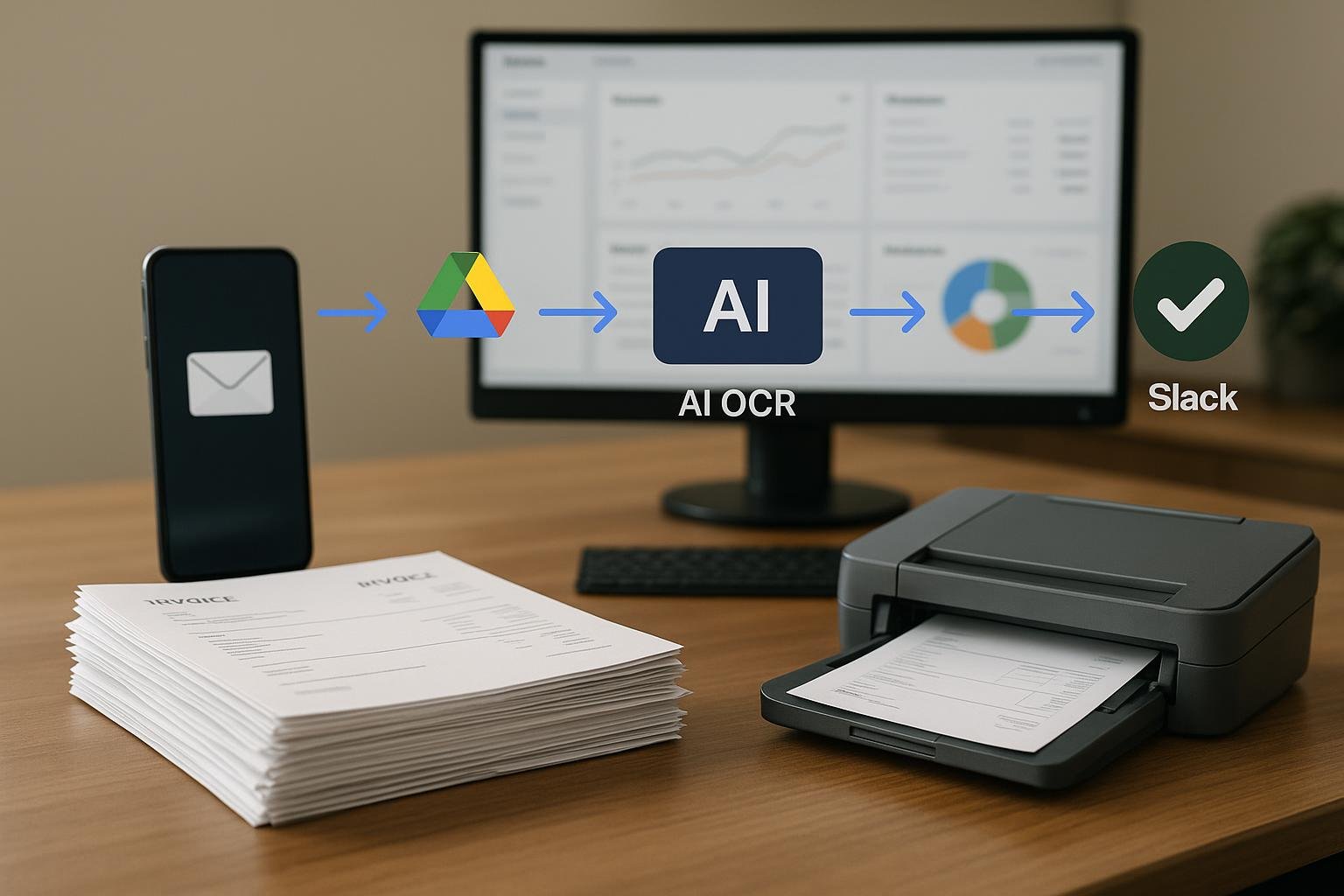
In this approach, you start with capture by email and centralize the documents in a cloud drive. An on-device or cloud AI OCR extractor reads key fields, then an automatic journal entry creates the accounting record. If a mismatch or missing field is detected, a quick review step via Slack or email ensures accuracy with minimal friction. This end-to-end flow typically delivers dramatic improvements: faster processing, fewer data-entry errors, and a quicker month-end close.
Process overview
- Capture invoices automatically: Inbound invoices arrive by email and are saved to a designated Drive folder or cloud storage, ready for processing.
- Extract data with AI OCR: An AI-powered OCR engine pulls out vendor name, invoice date, amount, line items, and invoice number, then normalizes the data into a structured format.
- Post to accounting: The structured data feeds into the accounting entry in QuickBooks or Xero, creating a bill or expense record with minimal human input.
- Review and approve: Any exceptions—missing line items, unusual totals, or misread fields—are surfaced for quick human review via Slack or email.
- Close the loop: Once approved, the entry updates the ledger, and a quick reconciliation check ensures everything aligns with bank feeds or vendor statements.
Key benefits
- 80% faster processing compared to manual entry, freeing up 1–2 days per month for strategic work.
- Fewer data-entry errors thanks to OCR accuracy and automated validation checks.
- Quicker month-end close and better cash flow visibility.
- Scalable for growing volumes without adding headcount.
Best practices and caveats
To maximize results, complementary practices matter. Start with a stable email-to-drive routing, ensure your OCR model is trained on your common vendor invoices, and set guardrails so the system knows when to hand off to a human reviewer. Integrating with QuickBooks or Xero is straightforward if you expose the necessary fields (vendor, date, amount, and expense account) through a well-defined data structure. The more consistent your vendor formats, the higher the OCR accuracy you’ll achieve.
As you build this, you can draw from related automation strategies in other areas of your business. For example, our AI Helpdesk article discusses building lightweight automation workflows that handle repetitive tasks. When you’re ready to automate up front-facing client work, you can explore concepts like Proposal automation and Lead intake automation to see how similar patterns apply to different processes.
Finally, monitor KPIs such as processing time, error rate, and month-end close duration. A well-tuned pipeline often requires only minor tweaks, not a full rebuild, to hit aggressive targets.